


Mobile Hotspots. (Wireless Broadband)
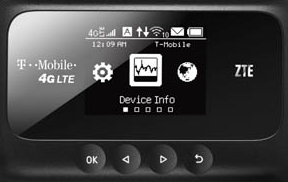
Do you need this type of device? DO you travel a lot? Have an RV or camper? Go Camping? Stay at Motels or Hotels? Or do you have vacation home? And the most important question, do you have multiple devices that require internet access? If you answer YES to any of these questions and if you require internet access you may be interested in mobile Wi-Fi Hotspot Router Modem. It offers additional features and capabilities you having using your smart phone to gain access to the internet. It supports multiple connections from different type of devices, such as smartphone smart tablets, computers (both desktops and laptops) to have access to the internet. If used in conjunction with your standard smart device you can enhance your internet experience. It is small and very portable.
As long as you can access a cell service you can have access to the internet. Some services even offer a combination of both voice and data. This method allows you to carry with you at all times your home phone.
There are two types of hardware available.
A USB stick – This type of setup offers the fastest possible connections and are more portable then Wi-Fi hotspots. They use a USB port connected to either a laptop computer or desktop. It will require special drivers and connections software to be loaded on your computer. This service tends to be more expensive and if used in a network environment it will require additional setup to accommodate other network devices.
A MiFi-Style hotspot, Mobile Wi-Fi hotspots let you to connect multiple devices to the internet. They include multiple PCs, iPads, iPhones, and other mobile devices. They required no additional software to used and are self-contained units you can take particularly anywhere as long as the cellar service is available in the area.
Another Alternative:
Mobile HOTSPOT via CELLPHONE
Smartphones also have ability to be integrated wireless hotspots modes which allows them to be connected to other devices via a Wi-Fi network. You must use a smartphone that supports the mode, and usually requires a higher end wireless data plans to a have access to those hotspot. This is best for casual users as it tends to drain your battery life and additional equipment and setup, if in a network environment. Using what is known as tethering it allows you to connect your devices such as a tablet, portable gaming device, and a computer (laptop) using Wi-Fi or directly with a USB cable. This will allow you to share your mobile hotspot to surf the web, download apps, and stream music. You will need a device that support mobile HOTSPOTS and/or tethering capabilities. Also you must have a qualified data plan.
IMPORTANT TO REMEMBER when using a mobile hotspot and tethering devices you will acquire added usage from your data plan and can affect your bill.
IMPORTANT THINGS you should consider before purchasing any Mobile Wi-Fi Modem Router or USB stick. Custom Computer Consulting can assist you in determining your needs based on the following issues.
Coverage Area (The availability of the cellular service)
Generally, Verizon and AT&T have good coverage area and speeds. However T-Mobile and Sprint are improving their cellular service and networks. Smaller carries include: FreedomPop and Vigiin,
NETWORK CONNECTIVITY
- Security features – WPA, Wi-Fi Protected Access Protocol. Used to secure the link between the client’s smart device and computer to the router.
- Access capabilities - How many multiple devices it can handle at any given time. It ranges from 5 to 15.
- Wi-Fi Range – Distance between the computer or smart device it is capable of receiving before signal drop-out. Other factors such as interfaces from appliance, walls and obstacles that abstract the signal will affect the range as well.
- Manual DNS – Domain Name System distributes and translates domain names to number IP addresses to computers, services, or any resources connected to the internet or private network
- Firewall – A firewall is a network security system that controls both inbound and outbound network traffic based on an applied rule set.
- Port filtering – The practice of selectively enabling or disabling the TCP (Transmission Control Protocol) ports and User Datagram Protocol (UDP) ports on computers or network devices.
- Port Forwarding – An application of network address translation (NAT) that redirects a communication request from one address and port number combination to another by way of network gateway, such a s router or firewall.
- Wi-Fi privacy separation – Prevents peer-to-peer Wi-Fi connections between devices using the hotspot.
- Network Protocols (802.11 a/b/g/n/ac on 2.4 or 5GHz bands with 20MHz or 40MHz channels.
- Special (One-Time) Guest features – Turns your modem into an access point for others to connect when they want to access the internet.
OTHER FEATURES (to consider)
- Contracts and NO Contracts.
- National and/or International plans – Allows for either or both access to the internet.
- Longer Lasting Battery
- Battery booster (providing an external connector) – The ability to provide additional battery back-up the event it is need.
- Touch Screen - An input device that a user can give input or control the information and processing through a multi-touch gesture by touching a screen.
- Web base management Interface – The ability to use a standard web browser to access for the purpose setup and control of the device.
- Status (hotspots in the area, connected devices, data usage, signal strength, and more).
- Parental control systems – allows you to block and whitelist specific web sites by the device
- GPS, Global Position Satellite – Is navigation system that provides location and time information in all weather conditions, anywhere in world where there is an unobstructed line of sight to four or more GPS satellites.
- External Antenna port – It allows for better coverage instead of the device’s internal antenna system.
Custom Computer Consulting can assist you in the purchasing the appropriate devices and assist you the installation of the process. This includes interfacing either stand-alone systems or multiple systems you plan to connect to the mobile hotspot device. CCC can assist you in both activating and properly setting up your hotspot for use on your local area network or a single computer or smart device.
Commonly known HOTSPOT Service Providers
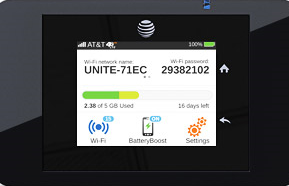 |
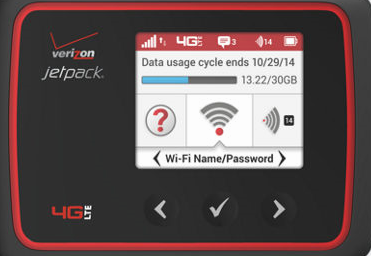 |
 |
 |
| AT&T |
Verizon |
StraightTalk |
T-Mobile |
CCC - Service Time
The time can vary depending on how involve the Client's wishes us to become in the initial process. We schedule an hour but may it can some times take less time.
CCC - To Schedule a Service (Select the appropriate ICON from the sidebar)
.png)
Last Updated: 07/23/2015 17:33
